
Blog Posts
Explore expert insights, tutorials, and updates on RDP, VPS, and cloud hosting from AmazingRDP. Stay informed with guides that help you boost performance, security, and productivity.
How To Get A Cheap RDP For Your Business In 2022
Are you looking for a cheap RDP provider? If so, you're in luck! In this blog post, we'll compare the top 10 cheap RDP providers of 2022. We'll discuss features, pricing, and performance so that you can make an informed decision about which provider is right for you....
How To Buy Cheap Rdp 2022: A Simple Guide Online
Are you in the market for an Rdp? Maybe you're not sure where to start or what to look for. Either way, we've got you covered. In this blog post, we'll walk you through everything you need to know about buying a Cheap Rdp, from what to look for to how to make the...

What Are The Benefits Of A Virtual Private Server?
Why do I need to Buy VPS? Read this article to know 'what are the benefits of a Virtual Private Server'. When choosing a hosting plan, it can be hard to decide which one is right for you. If your website is small, a shared server might work for now. However, what...

How To Fix Copy And Paste Problems In RDP
Read this article to know ‘how to fix copy and paste problems in RDP’. When you are working on an RDP-enabled computer for connecting to workstations, remote desktop services, or windows servers, then your clipboard is disabled. It’s impossible to copy and paste a...
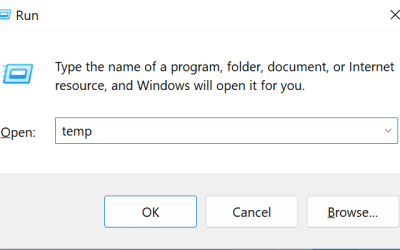
How to Delete Temporary Files Manually in Windows 11
in this tutorial, we will learn " How to Delete Temporary Files Manually in Windows 11". Windows 11 is the latest major release of Microsoft's Windows NT operating system, released in October 2021. It is a free upgrade to its predecessor, Windows 10, available for any...
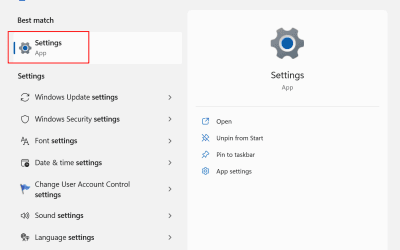
How to Delete temporary files using Settings on Windows 11
in this tutorial, we will learn " How to Delete temporary files using Settings on Windows 11". Windows 11 is the latest major release of Microsoft's Windows NT operating system, released in October 2021. It is a free upgrade to its predecessor, Windows 10, available...
Solutions of Remote Desktop Services
Read this article to know about the 'solutions of Remote Desktop Services'. What is Remote Desktop Service (RDS)? Remote Desktop Services (RDS) is Microsoft’s solution for Windows servers with multiple users and thin clients. The central server sees the customer’s...
Things to consider while implementing Remote Desktop Services
Read this article to learn about the things to consider while implementing Remote Desktop Services. How do the Remote Desktop Services work? A Windows server (the host) controls the operating system, the software, and the apps operating on top of it while Remote...
How to Install Sandbox On Windows
In this Short tutorial, we will learn "How to Install Sandbox On Windows". Windows Sandbox provides a lightweight desktop environment to safely run applications in isolation. Software installed inside the Windows Sandbox environment remains "sandboxed" and runs...
How To Connect RDP With Different Port
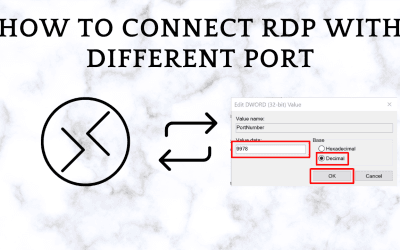
In this tutorial, we will learn "How To Connect RDP With Different Port". RDP stands for "Remote Desktop Protocol" and is a proprietary network protocol from Microsoft for remote access to your Windows computer. You can use this to display and control the screen...