Windows Server vs Linux Server: Pros and Cons
Windows Server and Linux compared on cost, software, administration, remote access and resource use, with a short rule for choosing the right one.
3 min readBy Swati
Reviewed by the AmazingRDP technical team
Decided on Windows? A Windows VPS gives you Windows Server with full admin access. Linux VPS plans are on the site too. See Windows VPS from $8.99
Almost every server runs one of two things: Windows Server, or a Linux distribution such as Ubuntu, Debian or AlmaLinux. Neither is better in general. The right one is decided by the software you need to run and by what you already know how to manage.
At a glance
| Windows Server | Linux | |
|---|---|---|
| Licence | Paid, per core, plus access licences for some roles | Free for the common distributions |
| Managed mainly through | A desktop: Server Manager, consoles, PowerShell | The command line over SSH |
| Memory used by the system itself | Around 2 GB with the desktop | A few hundred MB without a desktop |
| Remote access | Remote Desktop, built in | SSH, built in; a desktop is optional |
| Typical work | Active Directory, .NET and IIS, SQL Server, Windows-only programs, remote desktops | Websites, databases, containers, mail, VPNs, development |
| Updates | Monthly, usually with a restart | Any time; a restart mostly only for a new kernel |
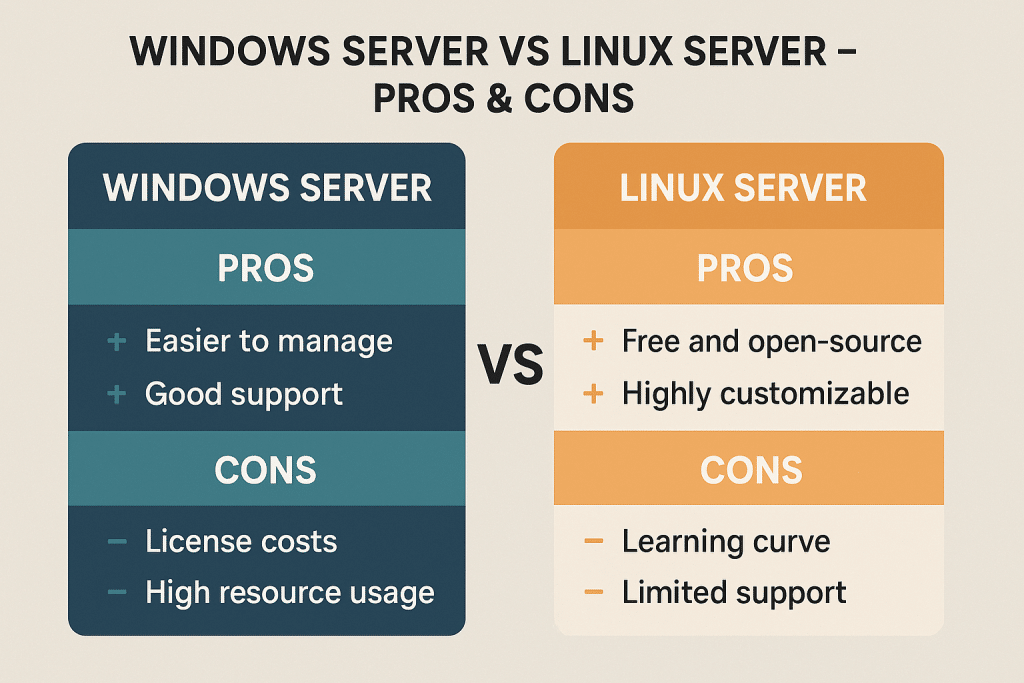
Windows Server: strengths
- It runs Windows software. If the program you need exists only for Windows, such as a trading terminal, an accounting package or a .NET Framework application, the question is settled.
- A familiar desktop. Anyone who uses Windows can find their way around, and Remote Desktop gives a full screen from the first minute. See how to connect to RDP.
- Active Directory and Group Policy. Central management of users and PCs in an office is where Windows Server has no real rival.
- One vendor. Long support periods and a single source of updates: see our WSUS guide.
Windows Server: weaknesses
- Cost. The licence is a real part of the price of a server, and some roles need extra client licences.
- Heavier. The system needs more memory and disk before your own programs start.
- Restarts. Monthly updates normally need one, which has to be planned.
Linux: strengths
- No licence cost for Ubuntu, Debian, AlmaLinux, Rocky Linux and others.
- Light. A small server with 1 GB of memory does useful work.
- Built for automation. Everything is a text file or a command, so servers are easy to script, copy and rebuild.
- The home of web software. Nginx, Apache, PHP, Node.js, Python, MySQL, PostgreSQL and Docker are developed and documented on Linux first.
- Package managers. One command installs and updates software from a trusted source.
Linux: weaknesses
- The command line. It is learnable, and it is the normal way to work; people who expect a desktop find the start hard. A desktop can be added: see installing a desktop on Ubuntu Server and connecting to Ubuntu through RDP.
- No Windows programs. Compatibility layers exist and are not something to build a business on.
- Many distributions. Guides differ between them. Picking a common one (Ubuntu LTS or Debian) removes most of that.
Security
Both are secure when updated and configured with care, and both are broken into when they are not. The usual way in is the same on each: a weak password on the remote-access port. On Windows that is Remote Desktop (3389), on Linux it is SSH (22). Use strong passwords or keys, limit who can reach the port, and install updates.
How to choose
- Does your software need Windows? Then Windows Server.
- Do you want a remote desktop to work on, like a PC in a datacentre? Windows.
- Is it a website, an API, a database, containers, a VPN or a bot? Linux.
- Still open? Choose the one you, or whoever will look after it, already know. A well-run server of either kind beats a badly run one of the other.
Our VPS and dedicated server plans can be ordered with Windows Server in its evaluation edition or with Linux; the choice is made at checkout. See Windows VPS and Linux VPS. Related: Ubuntu Server vs Ubuntu Desktop.
Questions
Is Linux better than Windows Server?
Neither is better in general. Linux suits web and automation work and has no licence cost; Windows Server suits Windows software, Active Directory and remote desktops.
Is Windows Server more expensive than Linux?
Yes. Windows Server needs a paid licence, while the common Linux distributions are free.
Can I use Remote Desktop with a Linux server?
Yes, after installing a desktop and xrdp. The normal way to manage Linux is SSH.
Which is more secure, Windows or Linux?
Both are secure when kept updated and configured carefully. Most break-ins on either come from weak passwords on the remote-access port.