
Buy USA RDP at Cheap & Affordable Price - Starting from only $6.99/month
Why Choose AmazingRDP for USA RDP?
- United States of America (USA) IP Address
- 99.9% Uptime
- Full Admin Access
- Dedicated Control Panel
- Instant Setup* & Guaranteed Performance
- 24/7 Full Technical Support Expert

What is USA RDP and Why Should You Consider Using It? What is the use of US RDP?

A USA RDP (Remote Desktop Protocol) is a virtual computer hosted on servers located in the United States that you can access from anywhere in the world. When you connect, it feels like you’re sitting in front of a physical computer in the US, even though you’re operating it remotely from your own device. It comes with dedicated resources, a stable internet connection, and most importantly, a US-based IP address.
So why should you consider using it? The biggest reason is location advantage. Many platforms, websites, and applications work better or unlock additional features when accessed with a US IP. If you’re into trading, streaming, marketing, or managing online services, having a server in the US can reduce latency and give you faster speeds, especially if you’re dealing with North American clients or networks.
Security is another benefit. Instead of risking your personal device, you perform tasks inside a secure remote server. It keeps your data and main system safe while giving you the freedom to run resource-heavy applications 24/7.
In short, a USA RDP is useful for businesses, freelancers, and individuals who want reliable performance, enhanced security, and the advantage of a US online presence.
US RDP Plans & Pricing – Secure, High Speed Remote Desktop in Top-Tier USA Datacenter
Get blazing-fast USA RDP with full admin access, unlimited bandwidth, dedicated IP & 1Gbps speed. Instant setup starting at just $6.99/month – secure, reliable, and fully customizable.
Cheap USA RDP
- 1 Core vCPU @ 2.4GHz
- 1 GB DDR4 RAM
- 30 GB NVMe SSD
- 1 TB Bandwidth
- Upto 1 Gbps Network Speed
- Windows Server (Trial)
- Full Admin Access
- Location: USA
- Dedicated Control Panel
- Setup Time – Instant Delivery*
USA RDP #2
- 2 Core vCPU @ 2.4GHz
- 4 GB DDR4 RAM
- 50 GB NVMe SSD
- 1 TB Bandwidth
- Upto 1 Gbps Network Speed
- Windows Server (Trial)
- Full Admin Access
- Location: USA
- Dedicated Control Panel
- Setup Time – Instant Delivery*
USA RDP #3
- 2 Core vCPU @ 2.4GHz
- 8 GB DDR4 RAM
- 200 GB NVMe SSD
- 3 TB Bandwidth
- Upto 1 Gbps Network Speed
- Windows Server (Trial)
- Full Admin Access
- Location: USA
- Dedicated Control Panel
- Setup Time – Instant Delivery*
USA RDP #4
- 6 Core vCPU @ 2.4GHz
- 32 GB DDR4 RAM
- 750 GB NVMe SSD
- 10 TB Bandwidth
- Upto 1 Gbps Network Speed
- Windows Server (Trial)
- Full Admin Access
- Location: USA
- Dedicated Control Panel
- Setup Time – Instant Delivery*
* Delivery is instant if the selected plan is in stock. If not, your RDP setup will be provisioned within 4 hours. We ensure fast provisioning to get you started as quickly as possible, even during high-demand periods.
USA RDP Features & Advantages – Reliable, Fast, and Flexible RDP Solutions with Full Admin Access

Hosted in US Datacenter
Low-latency access with servers physically located in top-tier US data centers for better performance.
Dedicated United States IP
Get a clean, dedicated IP address based in United States to ensure privacy, access local content, and avoid blacklists.
Customizable Resources
Upgrade or scale your RDP easily with flexible CPU, RAM, and storage options to match your workload.
Instant RDP Provisioning
Get your RDP delivered instantly if in stock. Setup is fast, hassle-free, and ready to use within minutes.
BULK ORDER? GET HUGE DISCOUNT ON RDP & DEDICATED SERVER
Customer’s Review
I am using their USA RDP Plan with full admin access and free control panel, this made my work easy as I can reboot, restart and change my password anytime without any restriction. These guys have provided me with everything that I need for my website server and security. At Amazingrdp, they offer multiple USA locations, USA admin RDP available with instant delivery, and you can pay with a credit card, cryptocurrency, and more payment options available. Value for money. Highly recommended.
Well after using USA RDP for more than 5 months from Amazingrdp, I can just say they are giving the best service at an affordable price and I’m not going to purchase from any other RDP Provider. I’ve purchased their USA RDP Plan#4 with 750 GB SSD Storage, and 4 Dedicated IPs. I am totally satisfied with their service and support. Best of the best without any doubt.
These guys have the best USA Admin RDP plan in the whole arena. I have used many providers but these guys are most promising in every aspect you see, whether, it’s their specs, pricing, discounts, service, or the overall purchase experience, and these lead me to end up buying from them about 20-30 plans, including 10 USA RDP and some Private RDP and Dedicated RDP. Thank you very much, I will recommend other friends for your services.
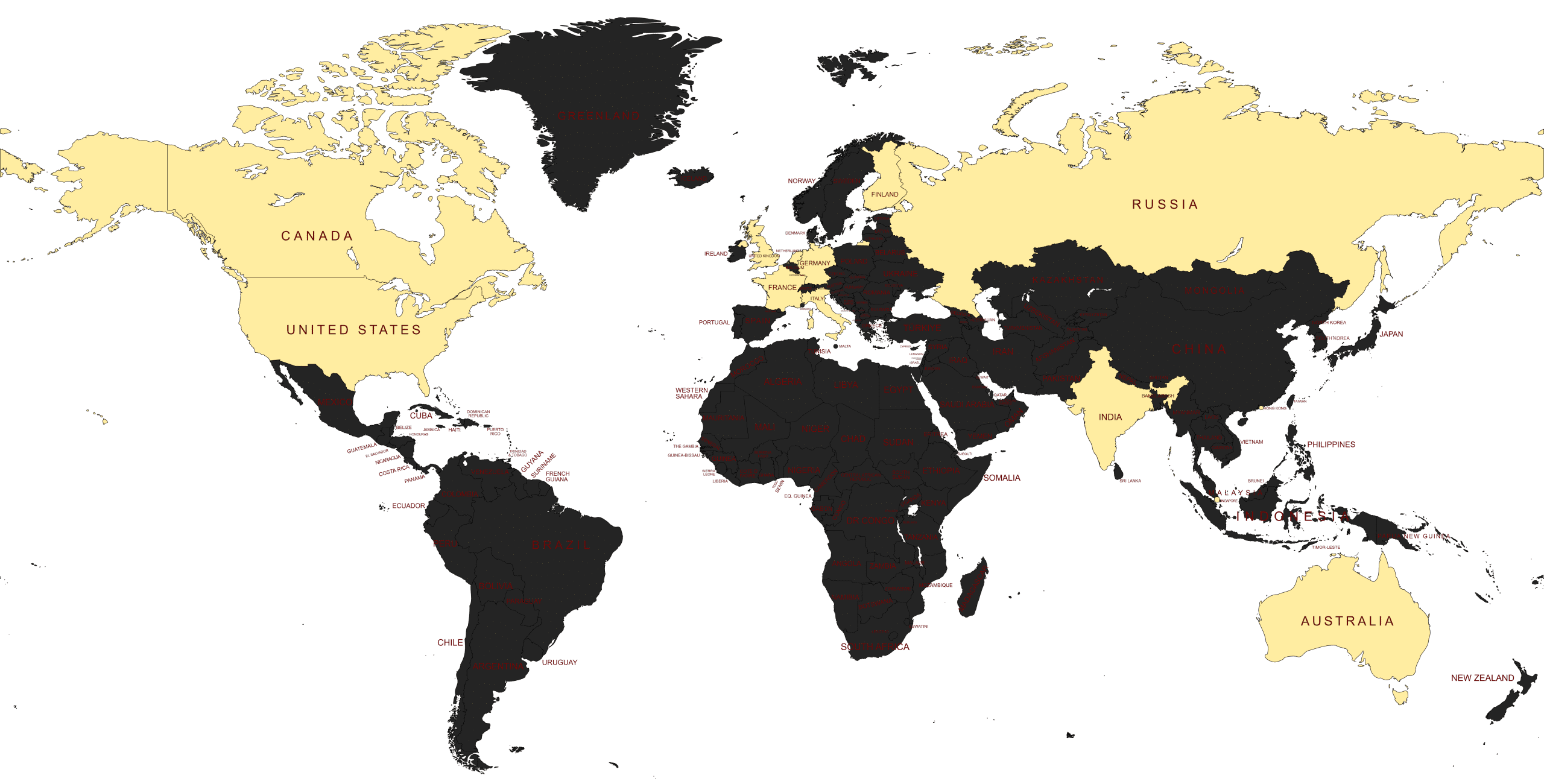
AmazingRDP Available Datacenter Regions – Global Coverage, Local Performance
AmazingRDP offers a wide range of datacenter locations across the globe, allowing you to deploy your RDP, VPS, or Dedicated Server in the region closest to your users. This ensures faster connection speeds, lower latency, and a smoother overall experience—whether you’re targeting customers in North America, Europe, Asia, or beyond.
Remote Desktop Protocol (FAQs)
What is Remote Desktop Protocol (RDP)?
The remote desktop protocol is an approach to accessing windows from a remote area without really accessing your device from its actual location. Moreover, the users using the remote desktop protocol can utilize their windows platform anytime and any place they want. The remote desktop protocol is a product from Microsoft Corporation.
Why Should I Buy USA Admin RDP Plan?
Amazingrdp Offers Best USA RDP Plan With Multiple USA Locations like TEXAS, NEW YORK, SAN JONES, and LA. All our Servers are latency optimized for best ping and come with Free Admin Control Panel.
* No Setup Fees, Free Windows O/S, Additional Free B/W, Free Disk Space Addon for repeated Users.
How to Connect RDP Through Desktop?
Here are the steps to connect RDP Through Desktop:
1. Window key +R, enter the command “mstsc”, and click on the OK button.
2. Enter the RDP IP Address, and click on connect.
3. Click on “Use another account”.
4. Type “username” & “password”, and click on OK Button.
5. You can checkmark” Remember my credentials”(optional) and click on the Ok button.
6. Checkmark on ” Don’t ask me again for connections to this computer”, and click on the “Yes” button.
7. Now you are connected.
Or You Can Read Our Blog “Here How To Connect RDP Through Desktop“.
What's your setup time for the servers, once the payment is confirmed?
Usually the RDP details are delivered within 15-30 mins of payment. However, in some cases, it may take 12-24 hours.
Do You Offer to Full Admin Access With USA RDP Plans?
Yes, All the Non-Shared plans are exclusively private and come with full admin access. So, USA RDP Plan Is also non-shared and comes with Full Admin Access.
Who needs USA RDP? Is USA RDP secure?
Businesses, freelancers, traders, marketers, and individuals who want secure access, US-based online presence, or remote hosting for apps and tools.
Yes. Connections are encrypted, and since you’re working inside a remote server, your personal device stays protected.
What is a USA RDP? Why should I use USA RDP?
A USA RDP (Remote Desktop Protocol) is a virtual machine hosted in US data centers. You can log in remotely and use it like a normal computer with a US IP address.
It gives you a reliable US IP, faster speeds for North American services, enhanced security, and the ability to run tasks 24/7 without depending on your local device.
Can I access USA RDP from any device?
Yes. You can connect from Windows, macOS, Linux, Android, or iOS using the Remote Desktop app.
Do you provide a Trial/Demo On Your Plans?
Yes, we provide trial/demo on our shared plan and on private plans only. No trial/demo is available on any Dedicated Plan and Residential Plan.
For what purpose is RDP used?
1. Nowadays RDP is widely used around the world for bloggers, Encoders, Uploaders, Torrenters, YouTubers, and many more categories.
2. It is used for Uploading/Downloading software, Movies, Torrents Etc. also used for Encoding Videos for Fast Encoding.
3. If you’re a Website Developer, Website Designer, Freelancer, or Digital Marketer, then you need an RDP to get rid of Load Shedding/Power Loss and never lose your online work again and work in Powerful Systems.
Do USA RDP Plans Come with Control Panel?
Yes, All the Private Plan comes with a dedicated control panel to make your work easy. You can reboot, restart and change your Password manually as well anytime.
Which Payment Gateways are Available? Is there any Money Back Guarantee?
We Accept Payment via Bitcoin, Perfect Money, WebMoney, Credit Card, Debit Card, PayPal, Payoneer, PayTM(Indian Users), Instamojo(Indian Users), and Bank Transfer(Indian Users). Yes, we have 24 hours money-back Guarantee. Kindly read our Refund Policy Carefully before placing an order.
Note: No refund is applicable on any Dedicated and Residential plans due to the nature of service.