What Is a Proxy Server? Types, Uses and Limits
A proxy server stands between you and a website and passes requests on. Forward and reverse, HTTP and SOCKS, what it hides, and proxy vs VPN vs RDP.
3 min readBy Smita
Reviewed by the AmazingRDP technical team
A private server with its own address and full administrator access. See the Admin RDP plans. See Admin RDP from $9.99
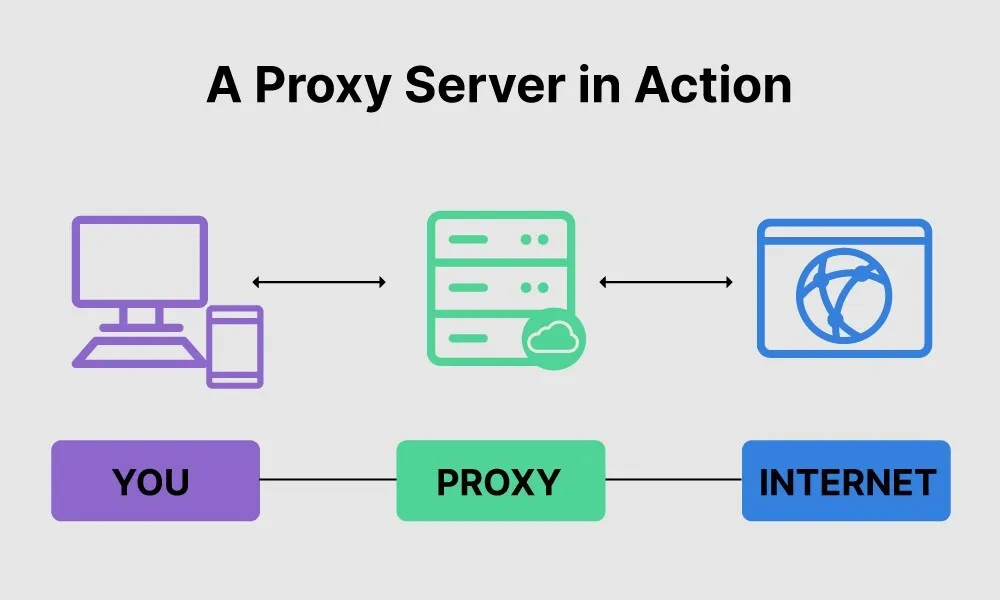
A proxy server is a computer that makes requests on behalf of others. Instead of your browser contacting a website directly, it asks the proxy; the proxy fetches the page and hands it back. The website sees the proxy's address, not yours. That simple idea is used in two opposite directions, and for many purposes.
Forward and reverse
| Forward proxy | Reverse proxy | |
|---|---|---|
| Stands in front of | Users | Servers |
| Who sets it up | The user, or the user's organisation | The website's owner |
| Hides | The user from the website | The real servers from the visitor |
| Used for | Filtering, caching, another exit address | Load balancing, HTTPS handling, caching, protection |
| Examples | A company web proxy; Squid | Nginx, HAProxy, a content delivery network |
When people say "a proxy" without more, they nearly always mean a forward proxy. The rest of this page does too, except where noted.
Proxy protocols
| Type | Carries | Note |
|---|---|---|
| HTTP proxy | Web traffic | Understands web requests; can filter and cache. HTTPS passes through it as a sealed tunnel |
| SOCKS5 proxy | Any TCP connection, and UDP | Does not look inside; works for mail clients, games and other programs |
| Transparent proxy | Web traffic | Inserted by the network without any setting on your device, as in some schools and hotels |
By where the address comes from
- Datacentre proxies have addresses of hosting companies: fast and cheap, and recognised as such by websites.
- Residential proxies use addresses of home internet providers. How websites tell the two apart is explained in what a residential IP address is.
- Mobile proxies use mobile network addresses.
What proxies are used for
- Control in organisations: block categories of sites, log use, scan downloads.
- Caching: keep copies of often-requested files to save bandwidth.
- Testing: see how your own website or adverts appear from another country.
- Separating identities: give different tasks different exit addresses.
- Debugging: tools such as Burp or mitmproxy are proxies that show a developer the traffic of their own application.
- In front of servers (reverse): spread visitors over several machines and terminate HTTPS in one place.
What a proxy does not do
- It does not encrypt. A plain proxy only relays. Your traffic is as protected as it would be without it: HTTPS sites stay encrypted, everything else is readable, by the proxy among others.
- It covers only the programs configured to use it, not the whole device.
- It does not make you anonymous. The proxy's operator sees every site you contact, and websites still see your browser and logins.
- Free public proxies are a risk. Someone pays for that server. Open proxies have been caught injecting adverts, recording logins and serving malware. Do not send anything through a proxy run by people you cannot name.
Proxy, VPN or remote desktop?
| Proxy | VPN | Remote desktop (RDP) | |
|---|---|---|---|
| What moves | Requests of one program | All traffic of the device | Nothing: you work on another computer |
| Encrypted on the way | Not by itself | Yes | Yes |
| Website sees | The proxy's address, your browser | The VPN server's address, your browser | The remote computer's address and its browser |
| Speed | High | Slightly reduced | The remote machine's connection; your screen is streamed |
| Typical use | One application needs another exit | Privacy on untrusted networks, reaching a private network | A whole working environment elsewhere, always on |
More on the middle column in understanding VPNs and how a VPN works; on the right-hand one in RDP or VPN for privacy.
Setting a proxy on your device
- Windows: Settings, Network & internet, Proxy, Manual proxy setup.
- macOS: System Settings, Network, the connection's Details, Proxies.
- Firefox has its own setting under Settings, Network Settings; Chrome and Edge use the system's.
- Linux command line:
export https_proxy=http://proxy.example.com:3128
curl -x socks5h://127.0.0.1:1080 https://example.com
A private proxy in one command
If you have any server with SSH, you already have a SOCKS proxy that only you can use, encrypted between you and the server:
ssh -D 1080 -N anna@203.0.113.10Set your browser's SOCKS5 proxy to 127.0.0.1, port 1080. Websites then see the server's address. How this tunnel works is in the SSH protocol.
Running a proxy on a server you rent
- It needs administrator rights, so a private server, not a shared desktop.
- Never run an open proxy. A proxy that accepts anyone is found within hours and used for abuse, for which the server's owner answers. Require a login or restrict it to your own addresses.
- The usage policy applies to whatever passes through it.
Private servers with their own address: Admin RDP.
Questions
What is a proxy server?
A server that makes requests on your behalf, so that the website sees the proxy's address in place of yours.
What is the difference between a proxy and a VPN?
A proxy relays the traffic of single programs and does not encrypt by itself. A VPN encrypts and carries all traffic of the device.
Is a proxy server safe?
One run by you or your organisation, yes. Free public proxies can read and alter what passes through them.
What is a reverse proxy?
A proxy in front of web servers. It receives visitors' requests and passes them to the real servers, for load balancing, HTTPS and caching.